-
Getting Started
-
Garmin Devices
- Garmin Device Firmware Guide
- Check Garmin Device Firmware
- Set up and Connect Garmin Index2 Scale
- Screen Control on Garmin Wearables
- How to charge Garmin devices best
- Wearable and Device ID Management
- Setup: Prepare Wearable Devices
- Compatible Garmin Devices
- Garmin Timezone & Time
- Wifi Capabilities and Restrictions of Garmin Devices
-
Setup
-
Manage
-
Data Collection
- Collect Data: Synchronization Types
- Collect Data: Tablet Sync (multi-sync) with "Fitrockr Hub (Multi-Sync)" app
- Collect Data: Smartphone Sync (single-sync) with Garmin Connect app
- Collect Data: Overview
- Collect Data: Smartphone Sync (single-sync) with Fitrockr app
- Collect Data: Sync via USB cable to Laptop
- Collect Data: Smartphone Sync (single-sync) with Omron Blood Pressure Monitors
- Apple Health and Google Health Connect
- Withings
- Wifi Capabilities and Restrictions of Garmin Devices
- Wearable Sync Methods and Frequencies
- Samsung Health
- Oura
-
Track
-
Analyze
-
Other
-
Trouble Shooting
-
Definitions
-
FAQ
- How to use HR monitor strap
- What happens when a Garmin device runs full?
- How to read Accelerometer json output file
- How to get access to Dexcom data
- Which Garmin devices support Wifi sync
- How to free up and reclaim licenses
- How to do a complete data export
- How to enable notifications on the wearable
- Why are some values longer than the given timeframe
-
Blog
Synchronization Types
There are 3 ways to Sync your device:
1. Manual Sync via Bluetooth
2. Background Sync via Bluetooth
3. Background Sync via Wifi
|
Data
|
Manual BT Sync
|
Background BT Sync
|
Background Wifi Sync
|
|---|---|---|---|
|
Standard Data |
✅ |
✅ |
❌ |
|
Logging Data |
✅ |
✅ |
✅ |
1. Manual Sync via Bluetooth
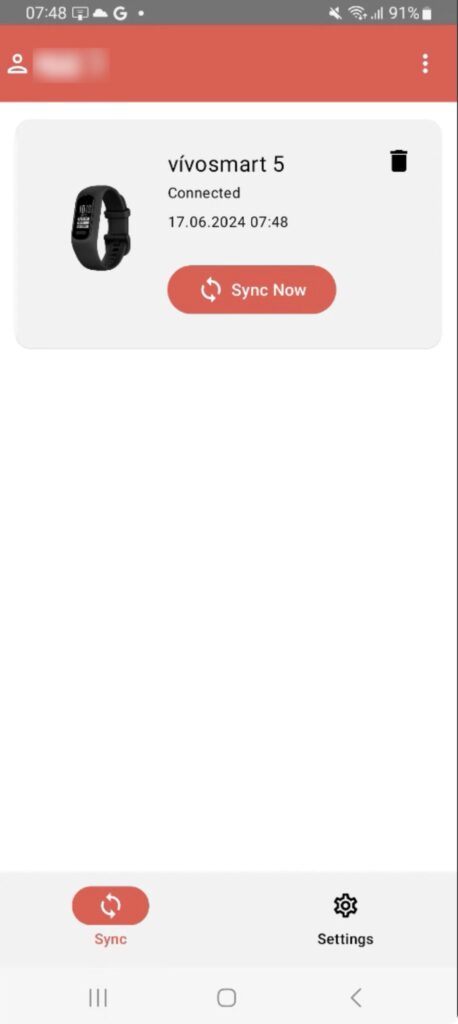
A Manual Sync occurs when the user opens the Fitrockr App on their smartphone and clicks the ‘SYNC NOW’ button.
IMPORTANT
Recommendation – wait until the upload is successful before closing or exiting the Fitrockr App.
2. Background Sync via Bluetooth
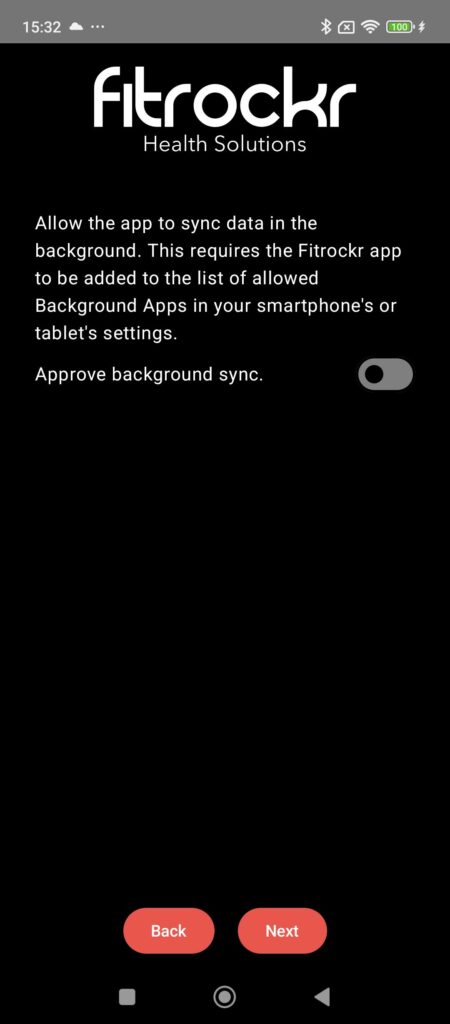
A Background Sync occurs automatically several times per day. This is done through Bluetooth and requires a connection.
3. Background Sync via Wifi
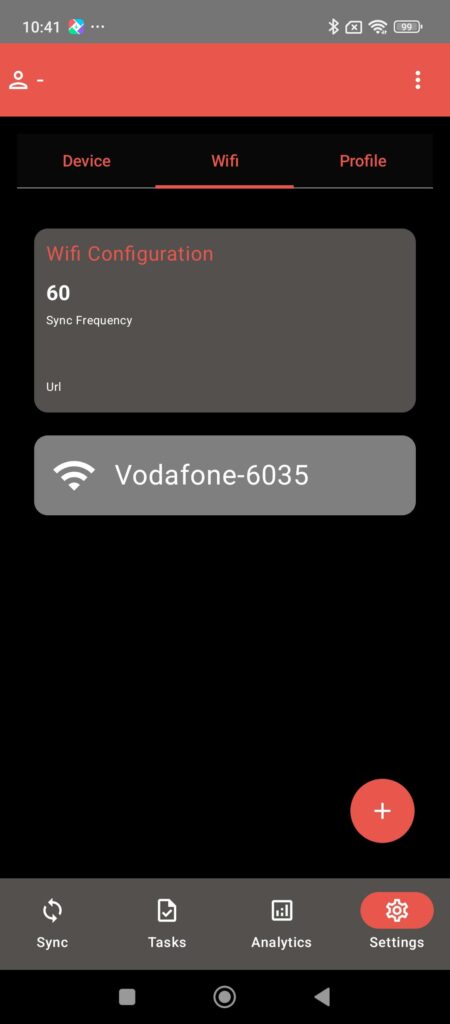
Similar to the Background Sync for Bluetooth, when enabled, the Wifi Sync is also done automatically several times per day.
The Wifi Sync will allow you to upload data faster than through Bluetooth.
Wifi Sync requires additional setup in both the Project and on the Fitrockr App and only works with certain Garmin devices.

IMPORTANT
Wifi Sync only uploads the Logging Data (enhanced sampling data setup in the Project configurations).
Background Bluetooth Sync will continue to occur and will cover the Standard data only.
Standard Data vs Logging Data
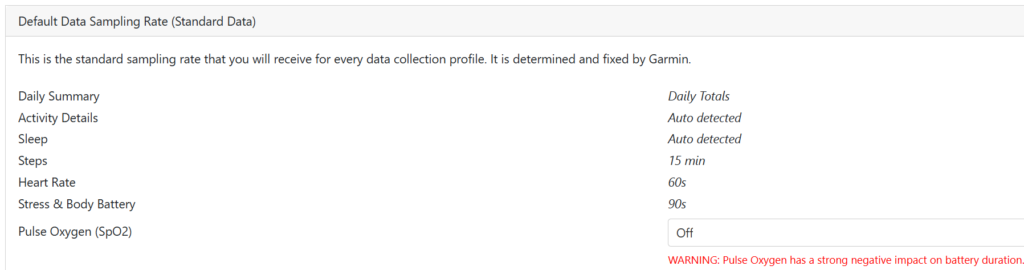
Standard Data:
This is the standard sampling rate that you will receive for every data collection profile. It is determined and fixed by Garmin.
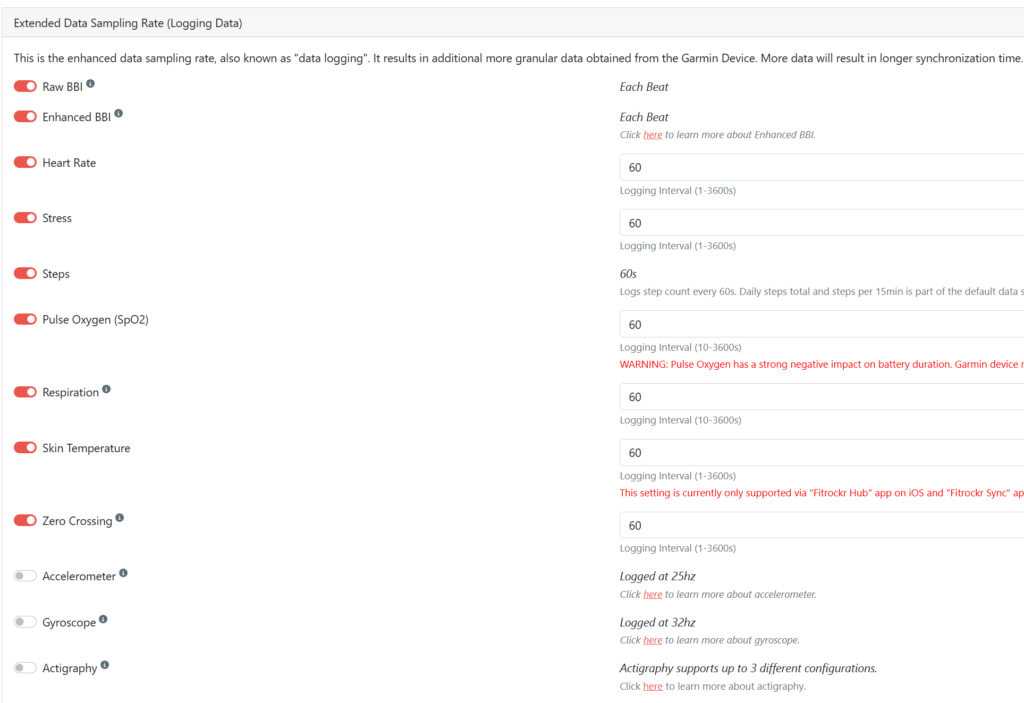
Logging Data:
This is the enhanced data sampling rate, also know as “data logging”. It results in additional and more granular data obtained from the Garmin device.
IMPORTANT
More data will result in longer Synchroinzation times.
Not all wearables may support all data types.