-
Getting Started
-
Garmin Devices
- Garmin Device Firmware Guide
- Check Garmin Device Firmware
- Set up and Connect Garmin Index2 Scale
- Screen Control on Garmin Wearables
- How to charge Garmin devices best
- Wearable and Device ID Management
- Setup: Prepare Wearable Devices
- Compatible Garmin Devices
- Garmin Timezone & Time
- Wifi Capabilities and Restrictions of Garmin Devices
-
Setup
-
Manage
-
Data Collection
- Collect Data: Synchronization Types
- Collect Data: Tablet Sync (multi-sync) with "Fitrockr Hub (Multi-Sync)" app
- Collect Data: Smartphone Sync (single-sync) with Garmin Connect app
- Collect Data: Overview
- Collect Data: Smartphone Sync (single-sync) with Fitrockr app
- Collect Data: Sync via USB cable to Laptop
- Collect Data: Smartphone Sync (single-sync) with Omron Blood Pressure Monitors
- Apple Health and Google Health Connect
- Withings
- Wifi Capabilities and Restrictions of Garmin Devices
- Wearable Sync Methods and Frequencies
- Samsung Health
- Oura
- Polar
- Collect Data: Menstrual Cycle Tracking
-
Track
-
Analyze
- Analyze: Overview
- Analyze: Data Export
- Analyze: Standard Reports
- Analyze: Sleep Analysis
- Analyze: Vitality Report
- Analyze: 6 Minute Walk Test
- Analyze: Body Battery
- Analyze: HRV
- Analyze: Activities
- Analyze: Live Streaming
- Analyze: Analytics Studio
- Analyze: Share
- Setup: Onboarding & First Steps
- Analyze: Data Export (Accelerometer & Gyroscope)
-
Other
-
Trouble Shooting
-
Definitions
-
FAQ
- How to use HR monitor strap
- What happens when a Garmin device runs full?
- How to read Accelerometer json output file
- How to get access to Dexcom data
- Which Garmin devices support Wifi sync
- How to free up and reclaim licenses
- How to do a complete data export
- How to enable notifications on the wearable
- Why are some values longer than the given timeframe
- How to pair the Garmin Index Sleep Monitor
- How to get GPS data
- How to check if background sync is enabled
- What does influence sleep measurement and recording
- Why do HR and BBI measurements not fully align?
- What apps are needed to use Fitrockr?
-
Blog
Analyze: Live Streaming
About
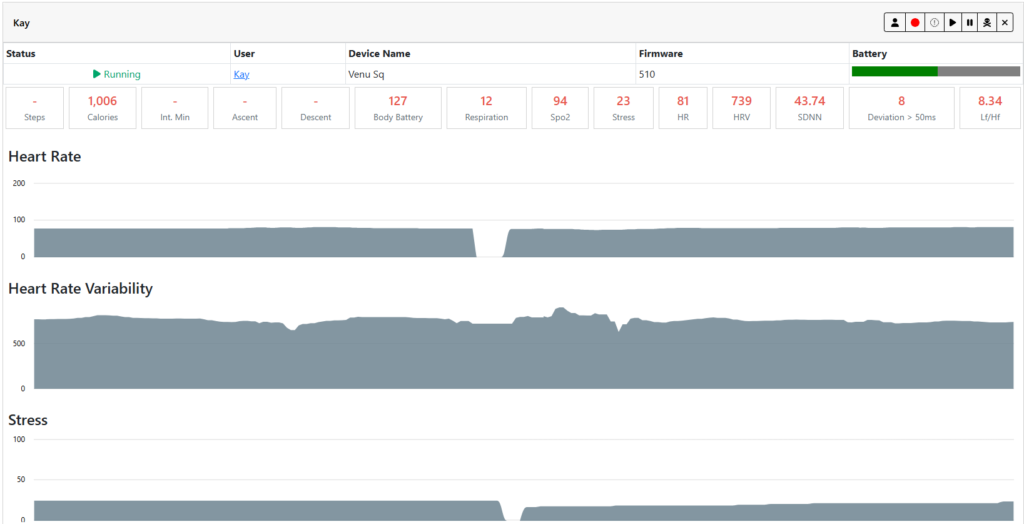
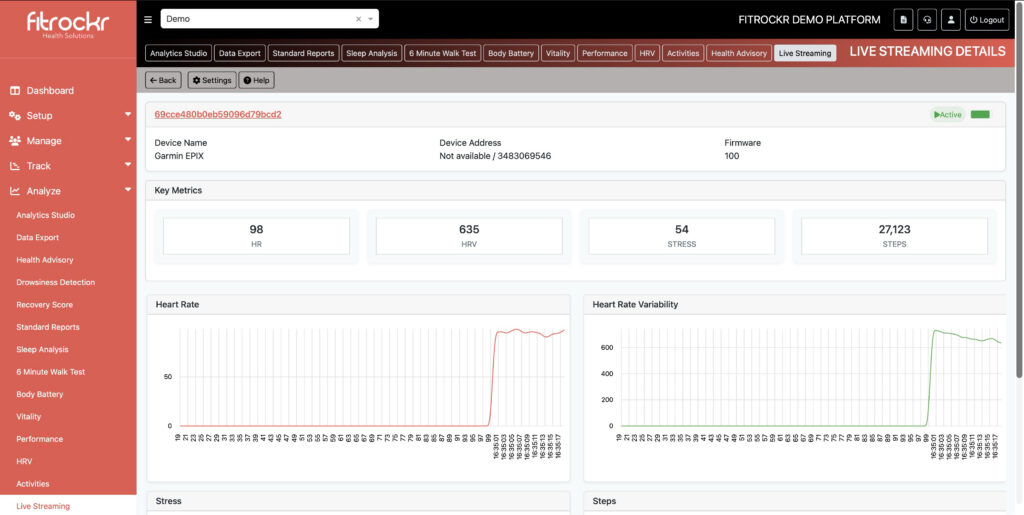
Live streaming for compatible wearable devices involves the real-time transmission of health data, such as heart rate, HRV, Stress, Body Battery, and physical activity metrics, from the device directly to the Fitrockr platform.
The data will stream from the device to the Fitrockr app via Bluetooth. The Fitrockr app will forward the signal to the Fitrockr Research & Control Center where it can be viewed and recorded at ANALYZE > LIVE STREAMING.
Technical Restrictions
▶︎ Live streaming does not interfere with or negatively affect daily data recording in parallel. This means that wearables will continue recording data throughout the day which can be normally synchronized to Fitrockr for analysis.
▶︎ Live streaming requires a continuous Bluetooth connection between the wearable and the smartphone, as well as a stable Internet connection on the smartphone. If either connection is interrupted, the Fitrockr app will automatically attempt to reestablish it.
▶︎ The smartphone operating system (Android or iOS) ultimately determines whether a disconnected live stream can be reconnected automatically. Based on our experience, Android devices generally support automatic reconnection, while iPhones may not.
▶︎ If automatic reconnection is not supported, participants must manually open the Fitrockr app and restart the live stream.
▶︎ Due to the limitations of automatic reconnection on some devices, live streaming is best suited for time-boxed use cases where interruptions are unlikely. For use cases requiring continuous live streaming over several hours, days, or weeks, we recommend using Android smartphones and informing participants that they may need to manually restart the live stream if automatic reconnection fails.
▶︎ Continuous live streaming can increase battery consumption on both the wearable and the smartphone compared to normal usage. We recommend running a test for your specific use case to determine impact.
Create alert
Participant Experience (Fitrockr Mobile App)
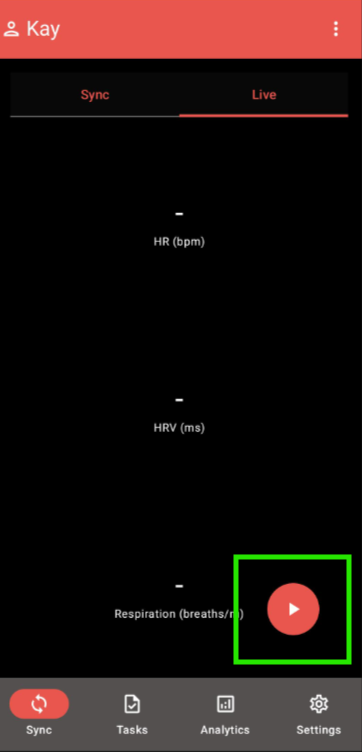
Participants can start and end live streaming in the Fitrockr app by using the PLAY/STOP icon. During a live stream, data will be shown in the app and sent to the Fitrockr Research & Control Center.
Admin Experience (Fitrockr Research & Control Center)
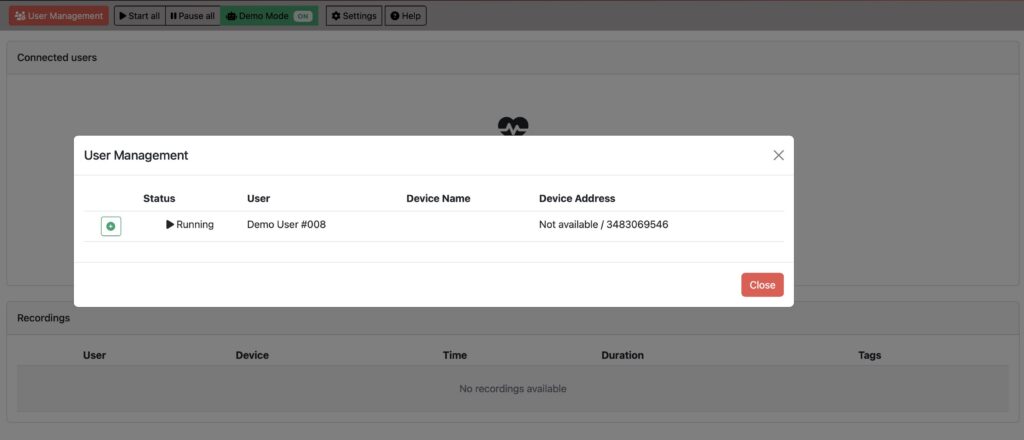
Click on START ALL or select already started users to add them to the live streaming overview.